You return after five days.
Which project was actually ready to continue?
The code is still there. The context is not.
LOCAL AI PROJECT CONTROL CENTER
StateConsole is a local-first Windows desktop app for developers working across multiple AI-assisted projects. It brings project status, tasks, prompts and agent-reported activity into one workspace, with data stored locally on your computer.
Windows · Local-first · No mandatory account · No cloud database
AI-assisted development moves fast. Context does not.
A project may be half-finished in one repo, waiting for testing in another, blocked in a third, while your AI agents have already moved on.
StateConsole exists so you do not have to reconstruct that state from old chats, TODO files and memory.
Which project was actually ready to continue?
The code is still there. The context is not.
But what changed, what still needs testing, and what requires your approval?
AI output is not the same as project state.
Which one deserves your attention today?
Without a portfolio view, every project feels equally urgent.
You do not need another place to manage work. You need one place that tells you what is true right now.
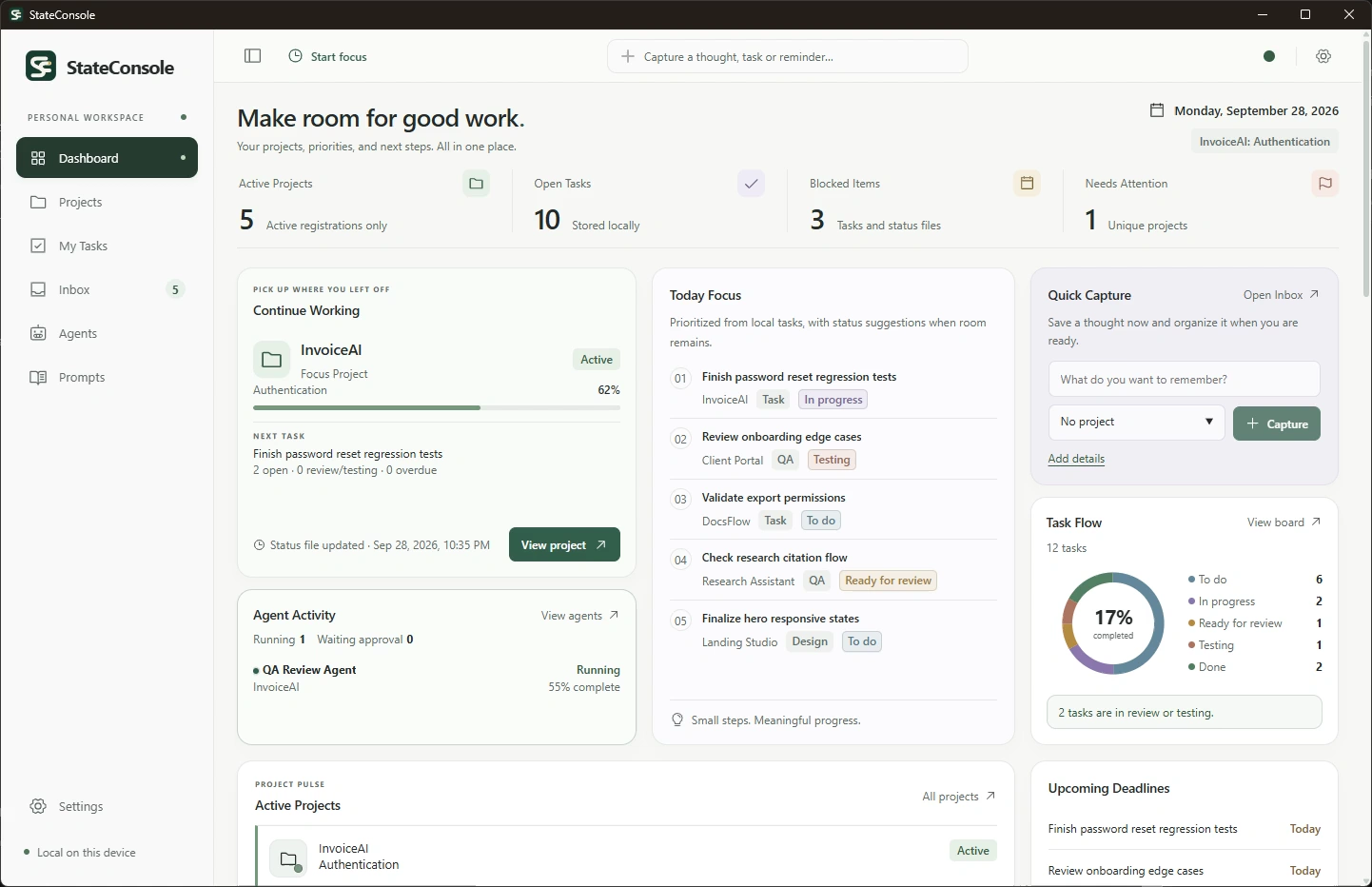
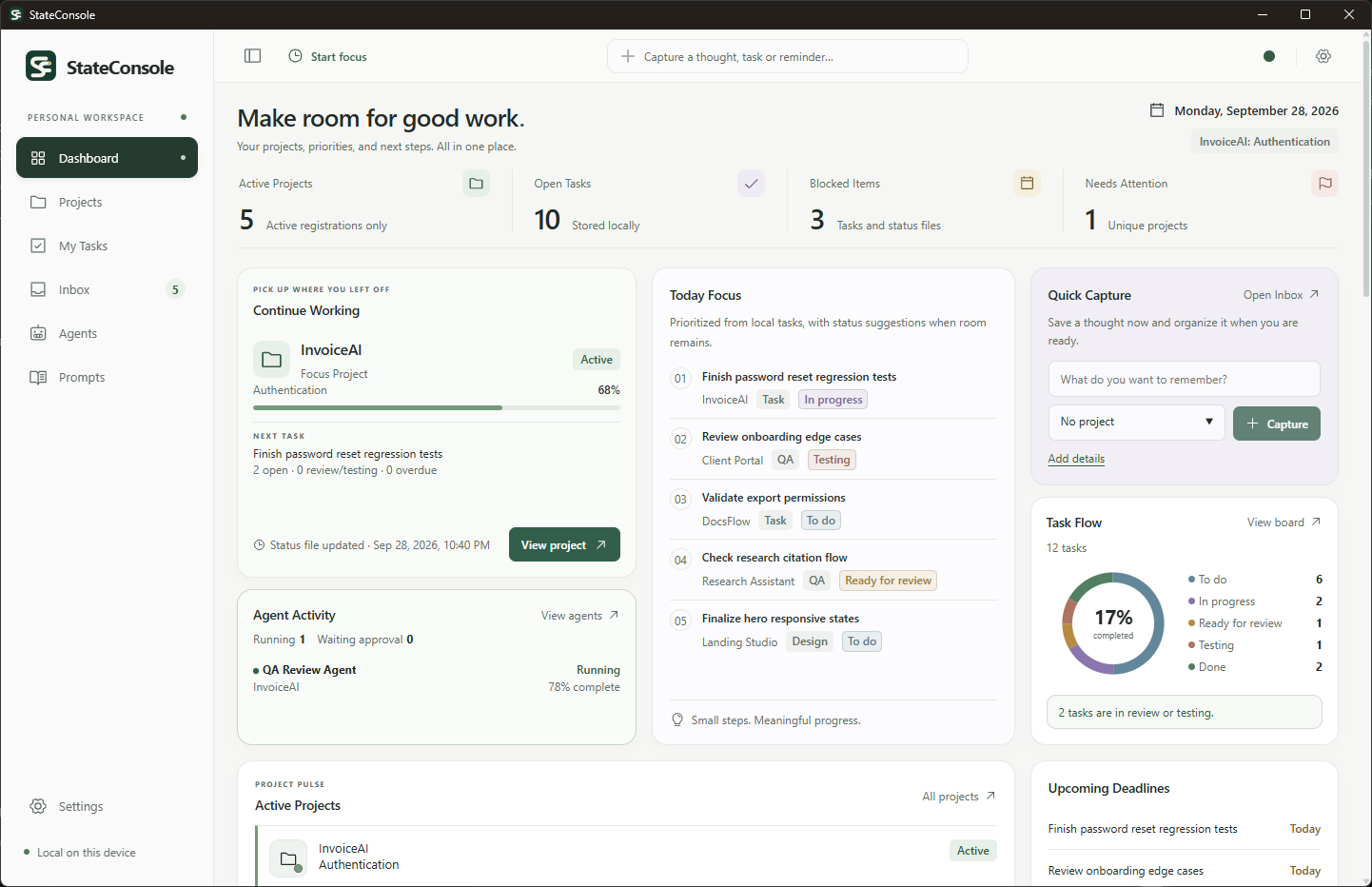
StateConsole looks across your projects and brings the important state into one place — focus, blockers, progress, agent activity and the next action.
You do not have to reopen every repo, reread old chats or reconstruct context from memory.
Focus Project and Continue Working surface the project and next action that matter now.
Blocked, stale, testing-required and unavailable states stay visible without opening every repository.
Tasks, AI agent activity and project state live together instead of being scattered across tools.
A simple PROJECT_STATUS.md keeps the important context inside the project — current focus, progress, blockers, testing and next actions.
Your coding agent can maintain it after meaningful work. StateConsole watches the file locally and turns it into a structured portfolio view.
---
progress: 68
---
# Current focus
Password reset and session recovery.
# Next actions
- [ ] Review password reset QA result
- [ ] Validate session expiry
# Blocked
- Waiting for email provider configuration.
# Testing required
- [ ] Password reset regressionLocal file watched automatically
Authentication
No conversation scraping. No proprietary project database. Just a simple state protocol your tools can understand.
The project state still makes sense even without StateConsole.
Codex, Claude and other coding agents can maintain the same simple status contract.
The file stays inside your project. StateConsole watches it locally.
 StateConsoleAgents / Runs
AI Agents
QA Review Agent
InvoiceAI · Password reset QA
Register the Codex, Claude or custom agents you already use and track their work across projects from one local view.
StateConsole observes their reported runs — progress, approvals, checks and results — without executing the agent or changing your tasks behind your back.
Register Codex, Claude or custom agents you already use. StateConsole does not require you to recreate them.
See when an agent is running, waiting for approval, completed, failed or becoming stale.
Agent reports never silently complete tasks, approve changes or create follow-up work without your decision.
StateConsole separates implementation from verification.
Move work through review and testing, keep acceptance criteria and expected results attached to the task, and only mark QA work complete when the required checks have passed.
Done is a state backed by rules — not just a button.
Password reset completes successfully and the previous token cannot be reused.
User receives a valid reset link and can set a new password.
Reset succeeded and the previous token was rejected.
Finishing implementation does not automatically mean the work is ready to ship.
Acceptance criteria, expected results, actual results and environment stay attached to the work being tested.
Bug and QA tasks cannot reach Done until the required QA result has passed.
PROMPT LIBRARY
Save the prompts you reuse across projects, agents and workflows — then find, adapt and copy them when you need them.
Organize by tool, category, tags, project or agent, without turning your prompt library into another documentation system.
Explore the local Prompt Library
Search titles, content and tags instead of rebuilding the same prompt from memory.
Link prompts to projects and AI agents so the right instructions stay close to the work they support.
Markdown, code blocks and formatting stay intact when you copy a prompt into Codex, Claude or another tool.
StateConsolePrompts / Local libraryA repeatable review for changes that need a clear QA result.
Review the password reset flow against its acceptance criteria. Check failure paths and report evidence before recommending a QA result.
type QAResult = {
  passed: boolean;
  evidence: string[];
};
Return Passed or Failed, what was tested, remaining risks, and the next action.
LOCAL BY DESIGN
StateConsole is local-first by design.
Your repositories stay where they are, project state is read from local files, and StateConsole keeps its own workspace data in a local SQLite database.
No mandatory account. No cloud project database. No automatic project upload.
PROJECT_STATUS.md.project-hub/agent-runs/*.jsonOne view of the work, without moving the project folders.
StateConsole workspace data, separate from repository contents.
Install StateConsole and use it without creating a cloud workspace or signing into a hosted service.
StateConsole registers local project folders. It does not move or upload your code.
Tasks, Inbox items, prompts, agent history and settings are stored in a local SQLite database.
Create a portable local backup and restore it explicitly when needed.
Backups contain StateConsole workspace data and saved project paths — not your repositories.
Current .phbackup files are local and portable, but not encrypted.
EVERYDAY UTILITIES
Capture something before you lose it. Stay focused on one task. Know your local workspace is healthy. Recover your StateConsole data when you need to.
Small tools, built into the same local workflow.
Save a thought, reminder or next action without leaving what you are doing.
Capture now. Organize later.
Tie focused work to a real task so you always know what you were working on and where to continue.
Focus on the task. Keep the context.
See whether StateConsole’s local storage, project monitoring and agent tracking are working as expected.
Know the local layer is healthy.
Create a verified local copy of your StateConsole workspace and restore it explicitly when needed.
Your workspace can be recovered without copying your repositories.
SEE STATECONSOLE IN ACTION
See how StateConsole turns local project state, AI agent activity and tasks into one calm view of what needs attention and what to do next.
Real StateConsole UI. No simulated dashboard. No generated product screens.
FOUNDING LICENSE
Get the complete StateConsole desktop app with every current feature and all 1.x updates.
Built for developers who want a focused local tool — not another monthly subscription.
Founding License
Pay once. Use StateConsole locally. All 1.x updates included.
Get StateConsole — $39One personal license · Up to 3 personal Windows devices · Commercial use included
Purchasing is not available yet.
Your repositories stay on your machine.
The Founding License is the early-access price for StateConsole 1.x.
The regular price may increase after the founding release, but existing Founding License customers keep access to all 1.x updates.
Everything you should know before running StateConsole on your local projects.
No. StateConsole registers local project folders and reads only the local project state it is allowed to access. Your repositories are not uploaded to a StateConsole cloud database.
No. StateConsole works alongside the tools you already use. It keeps project state, tasks, agent activity and next actions organized between those tools.
Yes. You can register existing Codex, Claude or custom agents and connect them to your projects. StateConsole does not require you to recreate them.
No. StateConsole can observe agent-reported runs, progress and results. It does not execute, control or terminate external AI agents.
No. Agent activity and reported checks are shown as self-reported information. StateConsole does not claim that a reported test passed unless another system independently verified it.
PROJECT_STATUS.md is a simple human-readable project status file that can store current focus, progress, blockers, testing requirements and next actions. StateConsole watches it locally and turns that state into a structured portfolio view.
StateConsole shows a clear setup or diagnostic state. Existing project files are not silently repaired or overwritten.
No. StateConsole is designed as a local-first Windows desktop application. Its workspace data is stored locally in SQLite.
No mandatory StateConsole account is required for the local desktop workflow.
Yes. StateConsole can create a portable local .phbackup file containing StateConsole workspace data and saved project paths.
Your repositories are not included in that backup.
Current .phbackup files are not encrypted.
No. The Founding License is a $39 one-time purchase and includes all StateConsole 1.x updates.
The current release is for Windows.